
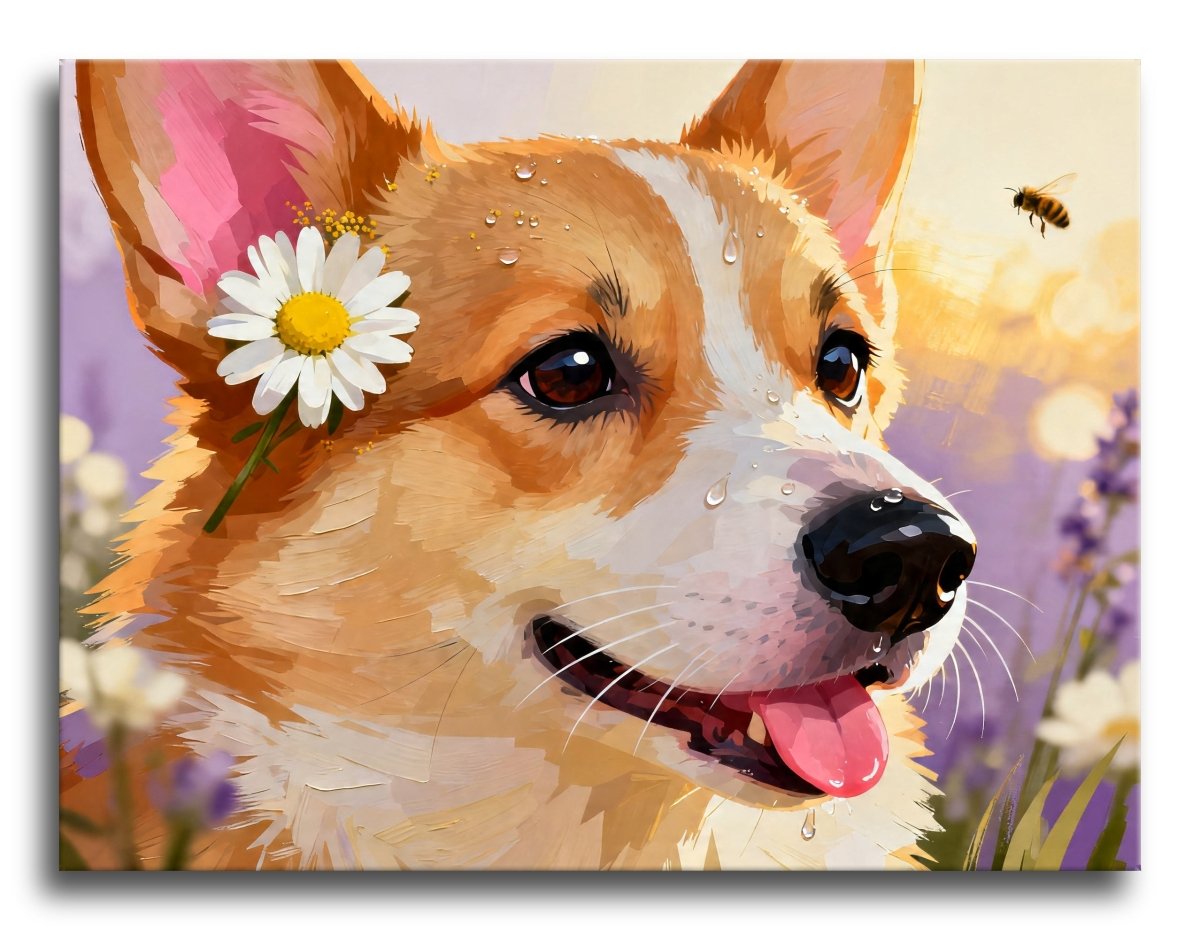
You can send in a photo and get it back as a paint by numbers kit. Your own canvas, printed with numbered shapes, and paints matched to the colors in your picture. People do it with pets, houses, wedding photos, a view they loved on a trip.
It works well when the photo suits it, and it disappoints when the photo does not. The difference is easy to spot once you know what to look at.
What a custom kit is

A normal kit uses a design the shop chose. A custom kit uses your photo instead. Everything else is the same. You get a canvas with numbered areas, a pot of paint for each number, and brushes.
The painting you end up with is a simplified version of your photo, built out of flat areas of color. That is the whole look of paint by numbers. It is also why a photo of your dog turns into something worth hanging instead of a print you could have ordered anywhere.
Which photos work
Four things decide it.
One clear subject

The photo needs an obvious main thing: one dog, one face, one house, one boat on the water.
When a photo has no clear subject, the design has nothing to build around, and you end up painting a lot of busy shapes that never add up to a picture. Crop in before you upload if you can. Closer is almost always better.
Good light

Soft daylight is the best thing you can give a photo. A bright cloudy day outside, or indoors near a window, is ideal.
Dark photos are the most common problem. Shadows turn into one flat dark mass, and the shapes inside them disappear. A photo taken at night, or in a dim room, has less information in it than it looks like on your phone screen. Harsh direct sun causes the opposite trouble: the bright side blows out to white and that detail is gone.
Hold the photo at arm's length and squint. If you can still tell what everything is, the light is good enough.
Not too busy

A plain or blurry background is a gift. A background full of fence posts, leaves, furniture, and other people competes with your subject, and every bit of it becomes shapes you have to paint.
A soft, out of focus background works beautifully, because the design keeps the detail where you want it.
Big enough file

Send the largest version you have. A photo straight off a phone or camera is usually plenty.
What causes trouble is a photo that has been squeezed small along the way. Pictures saved from a text message, pulled off social media, screenshotted, or emailed at a reduced size lose real detail, and nothing puts it back. If the image looks soft when you open it full screen on a computer, it will look soft as a painting.
Old printed photos are fine if you scan them. Photographing a photo is a last resort, and if you do it, lay it flat in daylight with no flash.
Photos that give people trouble
These are the ones that come back looking less like the picture in your head.
- Dark or indoor evening shots
- Anything blurry, including motion blur from a moving pet
- Small files saved from a chat app or a screenshot
- Group shots where every face ends up tiny
- Heavy filters, strong black and white edits, or beauty smoothing
- Backlit photos where the subject is a dark shape against a bright window
If your favorite photo is on that list, ask before you order. Some can be improved and some cannot.
What happens after you upload

The work after your upload is mostly deciding what to keep and what to simplify.
The photo is reduced to a set of flat color areas. Soft shading has to become hard edges, because every area needs one number and one color. Areas too small to paint get merged into their neighbors. The number of colors is kept to something a person can actually work with, so similar shades get grouped together.
Then each area is numbered, the outline is printed on canvas, and paint is matched and packed to go with it. Our canvases come lightly tinted, so each shape is already printed in a soft version of its final color. That makes the numbers easier to read and hides any sliver you miss.
Two things follow. Detail smaller than a brush tip will not survive, so do not count on a thin chain or a few stray whiskers. A bigger canvas keeps more of it, because the same shapes have more room.
How long it takes

Our custom kits ship in six to ten business days, the same as the rest of the catalog. If it is a gift, order with a cushion, since a custom kit cannot be pulled off a shelf and sent the same afternoon.
The painting itself is the longer part. A first canvas usually takes several evenings, and a detailed one can run to a few weeks of relaxed sessions.
Tips for pet photos

Pets are the most forgiving subject for a custom kit, as long as the photo is sharp.
Get down to their eye level. A photo shot from standing height mostly shows the top of a head.
Shoot near a window or outside in soft light, and make sure the eyes have a catchlight in them. Eyes with a small bright spot look alive. Flat dark eyes look stuffed.
Dark-coated pets need more light than you think, because black fur eats detail and there is nothing to paint inside a black shape. Daylight from the side helps show the shape of the face.
Fill the frame with the animal. A plain wall, a lawn, or a blanket behind them is ideal.
Tips for photos of people

Faces are the hardest thing to paint by numbers, so the photo has to do more of the work.
Pick a photo with even light across the face. Half-shadowed faces look dramatic in a photo and look like a mistake in a painting.
One or two people is the sweet spot. In a big group each face is a small part of the canvas, and small faces are where paint by numbers struggles most. For a group, go for the larger size.
Skip heavy filters and smoothing. They flatten exactly the light and shade the design needs to find the shape of a face.
A head-and-shoulders crop beats a full-length shot in a park almost every time.
Picking your size and finish

We print two sizes. Classic is 12 by 16 inches and Large is 16 by 20 inches. Go larger for faces, groups, or anything with fine detail you care about. Classic is fine for a single pet or a simple scene.
You can also pick framed or unframed. Unframed arrives rolled and costs less. Framed arrives on a wooden stretcher, flat and ready to paint and hang.
A quick checklist
Before you upload, open the photo full screen on a computer and check:
- Can you tell instantly what the subject is?
- Is the light soft and even, with no deep black shadows?
- Is the subject big in the frame, or can you crop it that way?
- Is it sharp, not soft or blurry?
- Is it the original file rather than one saved out of a chat or a website?
If you get five yeses, your photo will make a good kit. When you are ready, upload it on the custom paint by numbers kit page and pick your size and finish there.
And if you are torn between two photos, send the brighter one.


Hinterlasse einen Kommentar
Diese Website ist durch hCaptcha geschützt und es gelten die allgemeinen Geschäftsbedingungen und Datenschutzbestimmungen von hCaptcha.